ConvertKit charges $29/month for 1,000 subscribers. Mailchimp offers a free tier. So why do thousands of creators still choose ConvertKit? Because email revenue isn’t about the cheapest tool — it’s about the one that actually converts. This ConvertKit review for 2026 breaks down who it’s right for and whether the price is justified.
Key Takeaways
- The platform is purpose-built for creators who want to grow their subscriber lists quickly.
- It prioritizes a streamlined user experience to reduce technical friction.
- Advanced automation features allow for personalized communication at scale.
- The software supports various content types, from newsletters to digital product sales.
- It remains a top choice for those seeking to build a sustainable online business.
ConvertKit charges $29/month for 1,000 subscribers. Mailchimp offers a free tier. So why do thousands of creators still choose ConvertKit? Because email revenue isn’t about the cheapest tool — it’s about the one that actually converts. This ConvertKit review for 2026 breaks down exactly who it’s right for, who should skip it, and whether the price is justified.
The Evolution of ConvertKit for Modern Creators
From its humble beginnings as a text-only newsletter platform, ConvertKit has grown into a multifaceted tool that empowers creators to monetize their content effectively. This transformation is a result of its commitment to adapting to the changing needs of creators and the digital landscape.
ConvertKit’s journey is characterized by its shift from a simple email marketing tool to a comprehensive creator commerce platform. This evolution has been driven by the growing demands of creators who seek more than just email marketing solutions. They require a platform that can help them manage their audience, automate their marketing efforts, and monetize their content seamlessly.
Shifting from Email Marketing to Creator Commerce
The transition towards creator commerce is a significant milestone in ConvertKit’s evolution. This shift is not just about selling products or subscriptions; it’s about creating an ecosystem where creators can thrive. ConvertKit has introduced features that enable creators to sell digital products directly, manage subscriptions, and offer paid content, thereby opening new revenue streams.
By expanding its capabilities beyond email marketing, ConvertKit has positioned itself as a one-stop-shop for creators. This move is in line with the changing dynamics of online content creation, where monetization strategies are becoming increasingly sophisticated.
Key Updates and Platform Milestones in 2026
In 2026, ConvertKit continued its trajectory of innovation with several key updates and milestones. These include enhancements to its automation capabilities, improved subscriber management features, and expanded commerce integration options. Such updates reflect ConvertKit’s commitment to staying at the forefront of creator commerce technology.
One of the notable updates is the enhancement of its visual automation builder, making it easier for creators to design complex automation sequences without needing extensive technical knowledge. This, along with other updates, underscores ConvertKit’s focus on user experience and its dedication to empowering creators.
Core Features and Functionality
ConvertKit’s robust feature set is designed to empower creators with the tools they need to succeed in the ever-evolving digital landscape. By focusing on the specific needs of creators, ConvertKit has developed a comprehensive platform that addresses key aspects of audience engagement and management.
Subscriber Management and Tagging Systems
Effective subscriber management is crucial for creators to understand and engage with their audience. ConvertKit’s tagging system allows for precise segmentation, enabling creators to tailor their content and marketing strategies to specific groups within their audience.
Key benefits of ConvertKit’s subscriber management include:
- Advanced tagging and segmentation capabilities
- Customizable subscriber profiles
- Easy management of subscriber lists
Visual Automation Builder
The visual automation builder is a standout feature of ConvertKit, allowing creators to automate complex workflows with ease. This intuitive tool enables the creation of sophisticated automation sequences without requiring extensive technical knowledge.
Landing Page and Form Creation Tools
ConvertKit’s landing page and form creation tools are designed to help creators capture and engage their audience effectively. With a range of customizable templates and a user-friendly interface, creators can produce high-converting landing pages and forms.
Customization Options for High Conversion
To maximize conversion rates, ConvertKit offers extensive customization options for landing pages and forms. Creators can tailor the design and content to align with their brand and messaging, ensuring a seamless user experience.
Integration with Third-Party Website Builders
ConvertKit integrates seamlessly with popular website builders, allowing creators to embed forms and landing pages directly into their websites. This integration enhances the overall user experience and streamlines the process of capturing and engaging with subscribers.
User Experience and Interface Design
The platform’s interface is crafted with the user in mind, ensuring a seamless experience for both new and experienced creators. ConvertKit’s design philosophy focuses on simplicity and functionality, allowing users to efficiently manage their audience and marketing efforts.
Navigating the Dashboard
ConvertKit’s dashboard is designed to provide a clear and concise overview of the creator’s audience and marketing efforts. Upon logging in, users are presented with a clean and intuitive interface that highlights key metrics and performance indicators.
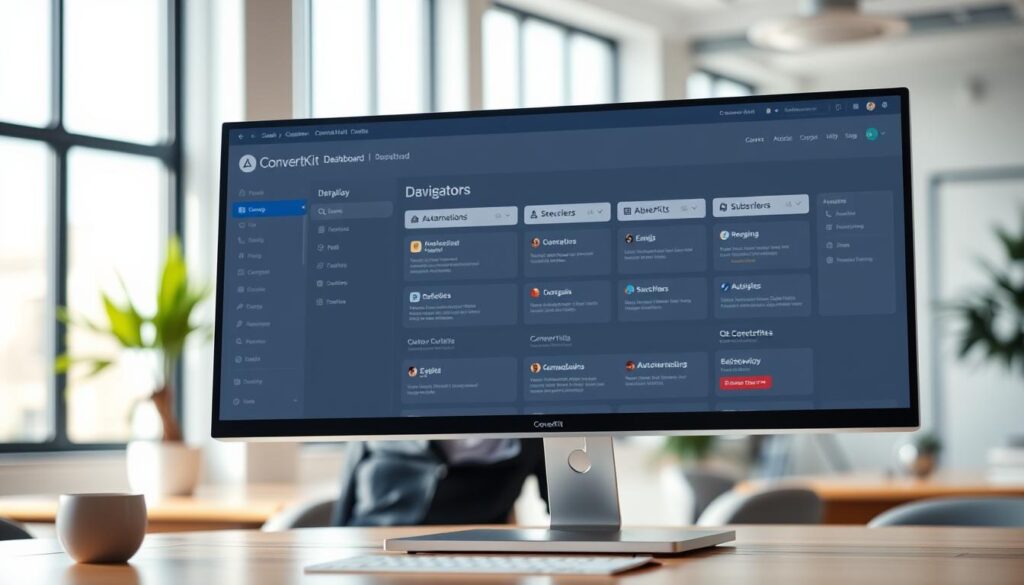
The dashboard is divided into sections, each focusing on a specific aspect of the user’s email marketing strategy, such as subscriber management, campaign performance, and automation.
To further enhance the user experience, ConvertKit has implemented a range of features that simplify navigation and reduce the learning curve. For instance, the platform offers contextual help and tooltips, guiding users through complex processes and ensuring they can maximize the platform’s capabilities.
Learning Curve for New Creators
One of the key advantages of ConvertKit is its accessibility to new creators. The platform is designed to be easy to learn, with a minimal learning curve that allows users to quickly get started with their email marketing efforts.
ConvertKit achieves this through a combination of intuitive design, clear documentation, and responsive customer support. New creators can begin by setting up their account and importing their subscribers. From there, they can start creating campaigns, automating their email sequences, and analyzing their performance using the platform’s built-in analytics tools.
As users become more comfortable with the platform, they can explore more advanced features, such as segmentation and personalization. By providing a user-friendly interface and a comprehensive support system, ConvertKit empowers creators to focus on what matters most – building and engaging with their audience.
Automation and Workflow Capabilities
ConvertKit’s automation features empower creators to streamline their marketing efforts and focus on producing high-quality content. By automating routine tasks, creators can devote more time to developing engaging content and nurturing their audience.
Building Complex Funnels
ConvertKit enables creators to build complex funnels that guide their audience through a series of targeted interactions. These funnels can be tailored to specific audience segments, ensuring that the right message reaches the right people at the right time.
The platform’s visual automation builder makes it easy to create and manage these funnels, providing a clear visual representation of the automation workflow.
Segmentation Strategies for Targeted Messaging
Effective segmentation is crucial for delivering targeted messaging that resonates with the audience. ConvertKit’s segmentation tools allow creators to categorize their subscribers based on various criteria, including demographics, behavior, and preferences.
By using these segmentation strategies, creators can craft messages that are highly relevant to their audience, increasing the likelihood of engagement and conversion.
| Segmentation Criteria | Description | Benefits |
|---|---|---|
| Demographics | Age, location, interests | Targeted messaging, improved engagement |
| Behavior | Purchases, email opens, link clicks | Personalized content, increased conversions |
| Preferences | Subscriber preferences, feedback | Enhanced audience satisfaction, loyalty |
Behavior-Based Triggers
ConvertKit’s behavior-based triggers allow creators to automate their marketing workflows based on specific actions taken by their subscribers. These triggers can be used to send targeted emails, assign tags, or move subscribers through different automation sequences.
By leveraging behavior-based triggers, creators can create highly personalized and responsive marketing campaigns that drive engagement and conversion.
Monetization Tools and Commerce Integration
ConvertKit’s commerce integration features enable creators to sell digital products and offer paid content directly to their audience. This capability is crucial for creators looking to monetize their content effectively.
ConvertKit provides a robust set of tools designed to help creators monetize their audience through various channels. By integrating commerce into their content strategies, creators can diversify their income streams.
Selling Digital Products Directly
Creators can sell digital products, such as ebooks, courses, and software, directly to their subscribers. This feature is facilitated through seamless integrations with popular e-commerce platforms.
With ConvertKit, creators can automate the delivery of digital products upon purchase, enhancing the customer experience. The platform supports various file types, making it versatile for different kinds of digital products.
For instance, an online educator can sell course materials directly to their audience, with ConvertKit handling the delivery process efficiently.
Newsletter Subscriptions and Paid Content
ConvertKit also allows creators to offer paid newsletter subscriptions and exclusive content to their loyal readers. This model helps in generating recurring revenue.
By segmenting their audience and offering exclusive content to paid subscribers, creators can increase engagement and loyalty.
For example, a journalist can offer in-depth investigative reports to paid subscribers, creating a steady income stream.
Managing Payouts and Creator Fees
The platform simplifies the process of managing payouts and tracking creator fees. Creators can monitor their earnings in real-time, making it easier to manage their finances.
ConvertKit’s transparent fee structure ensures that creators understand their earnings and the fees associated with transactions.
| Feature | Description | Benefit |
|---|---|---|
| Digital Product Sales | Sell ebooks, courses, and software directly | Diversifies income streams |
| Paid Subscriptions | Offer exclusive content to subscribers | Generates recurring revenue |
| Payout Management | Track earnings and fees in real-time | Simplifies financial management |
Deliverability and Performance Metrics
With ConvertKit, creators can trust that their emails are being delivered to their subscribers’ inboxes, thanks to the platform’s robust infrastructure. This is crucial for the success of any email marketing campaign, as high deliverability rates directly impact the effectiveness of the campaign.
Infrastructure and Sender Reputation
ConvertKit’s infrastructure is designed to support high deliverability rates. The platform manages sender reputation by implementing best practices and monitoring key metrics that influence inbox placement. This includes maintaining a strong IP reputation and adhering to anti-spam laws.
Sender reputation is a critical factor in determining whether an email lands in the inbox or spam folder. ConvertKit’s dedicated team works to ensure that the platform’s sending practices are optimized for maximum deliverability.

Analytics Dashboard and Reporting
ConvertKit provides a comprehensive analytics dashboard that allows creators to track the performance of their email campaigns. This includes metrics such as open rates, click-through rates, and subscriber growth.
Tracking Open Rates and Click-Through Rates
The analytics dashboard enables creators to monitor open rates and click-through rates in real-time. This data is invaluable for understanding how subscribers interact with the content and making informed decisions to improve future campaigns.
- Track open rates to gauge subject line effectiveness
- Monitor click-through rates to understand content engagement
Subscriber Growth Insights
Understanding subscriber growth is essential for creators looking to expand their audience. ConvertKit’s analytics provides insights into how the subscriber list is growing, helping creators identify successful strategies and areas for improvement.
By analyzing subscriber growth insights, creators can refine their content and marketing strategies to better attract and retain subscribers.
Pricing Structure and Value for Money
As creators grow their audience, ConvertKit’s pricing structure offers flexibility and scalability. This adaptability is crucial for maintaining a profitable and sustainable business model.
ConvertKit provides a range of pricing plans designed to meet the diverse needs of creators. The platform’s tiered pricing ensures that creators can choose a plan that aligns with their current requirements and budget.
Free Plan Limitations
The free plan is an excellent starting point for new creators, allowing them to manage up to 1,000 subscribers. However, it comes with certain limitations, such as limited automation features and the absence of advanced reporting.
Key limitations of the free plan include:
- Limited to 1,000 subscribers
- Basic automation features
- Limited reporting and analytics
Creator vs. Creator Pro Tiers
ConvertKit offers two main paid tiers: Creator and Creator Pro. The Creator tier is designed for growing creators who need more advanced features than the free plan offers. It includes unlimited automations, advanced reporting, and better deliverability.
The Creator Pro tier is geared towards established creators who require additional support and advanced features, such as subscriber scoring and advanced automation rules.
| Features | Creator Tier | Creator Pro Tier |
|---|---|---|
| Subscriber Limit | 1,000+ | 1,000+ |
| Automation Features | Unlimited | Advanced Rules |
| Reporting & Analytics | Advanced | Advanced |
| Support | Standard | Priority |
Scalability for Growing Audiences
One of ConvertKit’s strengths is its ability to scale with the creator’s audience. As the subscriber list grows, ConvertKit’s pricing adjusts accordingly, ensuring that creators are not locked into rigid plans that don’t accommodate their growth.
The scalability of ConvertKit’s pricing plans allows creators to focus on producing content and growing their audience without worrying about the constraints of their email marketing platform.
Pros and Cons of Choosing ConvertKit
The decision to use ConvertKit depends on understanding its advantages and limitations. As a platform designed specifically for creators, ConvertKit offers a range of features that can enhance your content creation and marketing efforts.
Advantages for Content Creators
ConvertKit provides several benefits that cater to the needs of content creators. Automation features allow for streamlined email marketing processes, enabling creators to focus on producing high-quality content. The platform’s visual automation builder makes it easy to create complex automation sequences without needing extensive technical knowledge.
Another significant advantage is ConvertKit’s ability to help creators monetize their content through various tools, including selling digital products directly to their audience and managing newsletter subscriptions and paid content. This integration of commerce tools within the platform simplifies the process of turning content into revenue streams.
| Feature | Benefit | Impact on Creators |
|---|---|---|
| Automation Features | Streamlines email marketing | Increases efficiency and reduces manual labor |
| Visual Automation Builder | Eases creation of complex automations | Enhances personalization and engagement |
| Monetization Tools | Facilitates selling digital products and paid content | Provides additional revenue streams |
Potential Drawbacks and Limitations
While ConvertKit offers numerous advantages, there are also potential drawbacks to consider. Some creators may find the learning curve for mastering ConvertKit’s features to be steeper than expected, particularly those without prior experience with email marketing automation.
Another limitation is the cost associated with the platform, especially for creators on a tight budget or those just starting out. While ConvertKit offers a free plan, its limitations may not be suitable for all users, and upgrading to paid plans can increase costs.
By understanding both the advantages and limitations of ConvertKit, creators can make an informed decision about whether this platform is the right fit for their content creation and marketing needs.
Comprehensive ConvertKit review 2026
With the ever-evolving landscape of creator tools, ConvertKit’s 2026 version is put to the test in this comprehensive review. As creators continue to seek effective ways to grow and monetize their audiences, understanding the capabilities of platforms like ConvertKit is crucial.
Who Should Use ConvertKit
ConvertKit is particularly suited for creators who are looking to grow and monetize their audience effectively. This includes bloggers, podcasters, and digital artists who require a robust email marketing solution that integrates well with their existing workflows.
Key benefits for creators include:
- Advanced automation features to personalize their audience engagement
- Seamless integration with various e-commerce and digital platforms
- Detailed analytics to track the performance of their content and marketing strategies
Comparison with Industry Competitors
When comparing ConvertKit to its competitors like Beehiiv and MailerLite, several factors come into play. ConvertKit stands out due to its user-friendly interface and comprehensive feature set designed specifically for creators.
| Feature | ConvertKit | Beehiiv | MailerLite |
|---|---|---|---|
| Automation Features | Advanced visual automation builder | Basic automation capabilities | Visual automation editor |
| Pricing | Tiered plans based on subscriber count | Competitive pricing with a free plan | Affordable plans with a free tier |
Final Verdict on Platform Reliability
In conclusion, ConvertKit proves to be a reliable platform for creators in 2026, offering a robust set of features that cater to their specific needs. Its ability to integrate with various tools and its advanced automation capabilities make it a valuable asset for growing and monetizing an audience.
While it may have a learning curve for new users, the overall benefits and scalability of ConvertKit make it a worthwhile investment for serious creators looking to expand their reach and revenue streams.
Conclusion
As creators continue to navigate the ever-evolving digital landscape, having the right tools is crucial for success. ConvertKit has established itself as a powerful tool for creators, offering a comprehensive suite of features that support email marketing, automation, and monetization.
By providing a robust platform for managing subscribers, automating workflows, and optimizing monetization strategies, ConvertKit empowers creators to focus on what they do best – creating high-quality content and engaging with their audiences.
The ConvertKit conclusion is clear: it’s an indispensable creator tool that streamlines email marketing efforts, allowing creators to grow their businesses with confidence.
Related Articles
What is the major difference between ConvertKit and its rebranding to Kit in 2026?
How does the subscriber tagging system work compared to traditional list-based marketing?
Can I sell digital products directly through the platform?
Is the Visual Automation Builder easy for beginners to use?
What are the limitations of the ConvertKit Free Plan in 2026?
How does ConvertKit ensure high deliverability rates for my emails?
Can I migrate my existing list from platforms like Beehiiv or Substack?
Does ConvertKit integrate with WordPress and other website builders?
What makes the Creator Pro tier worth the extra investment?
Is ConvertKit the right choice for someone who isn’t a “tech-savvy” creator?
Try these tools: ConvertKit | Mailchimp | ActiveCampaign